Strategy
Part of Real Estate Video Marketing: Production and Lead Tracking
Real estate video: shoot order and script for a walkthrough
Real estate video marketing best practices for one listing walkthrough: the shoot order, a script with no unsupported claims, and the captions.
What to take away
- Shoot wide first, then the entry, then the rooms that carry the sale, and log every clip before you leave.
- Read a short script over the footage, with every number taken from the verified listing record.
- Leave claims you cannot prove out of the script. Silent shots show a room without describing it.
- Caption every word of speech, correct names and numbers by hand, and describe what the camera shows.
- End on one closing card with one booking link.
Shoot in a fixed order
A fixed order keeps a short walkthrough coherent, because the cut follows the shoot. Follow the steps and the cut never has to hunt for a missing room.
- Pull the current listing record and confirm price, square footage, bedroom count, lot size and availability. Print it.
- Walk the property once with the phone in your pocket. Note the light and anything the camera will exaggerate.
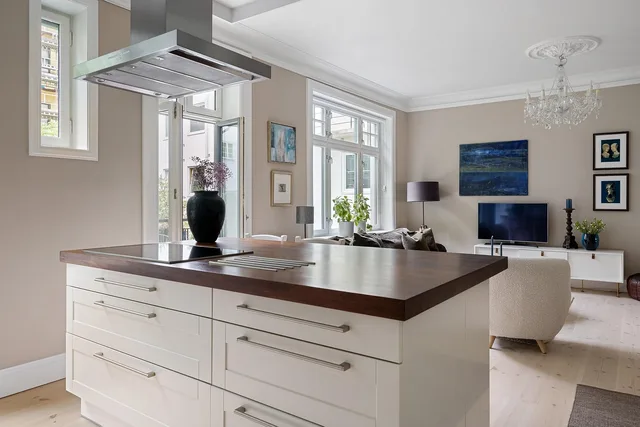
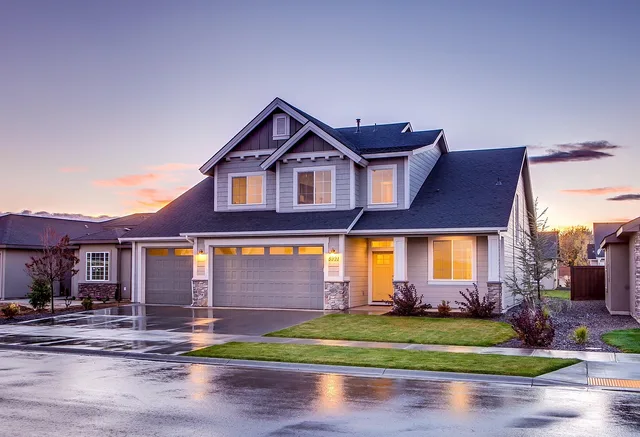
- Shoot wideexterior, entry threshold, main living space, kitchen, each bedroom, rear lot. Thirty seconds per room suits a typical shoot.
- Shoot vertical clips of the two or three features that sell the property. Keep a full-frame version of each.
- Record thirty seconds of room tone. It makes edits sound intentional rather than patched.
- Log every clip against the shot list before you leave the property.
Step three matters most. A viewer who never sees the entry cannot judge how the rooms connect. That omission drives more confused calls than any lighting mistake.
Read the script over the footage
Every number in the script comes from the verified listing record, and anything the record cannot back stays out. Build the verified fact sheet first, then write the script from it.
This is 412 Alder Street, listed at [price], on a [lot size] lot with [bedroom count] bedrooms and [bathroom count] bathrooms over two finished levels. The front door opens to a hall with a coat closet. The living room runs the full width of the house. The finished basement has its own entrance and a full bathroom.
The script never claims a school district, a future value or the roof condition. Those lines are missing on purpose. Listing video is advertising, so the Fair Housing Act and the NAR Code of Ethics duty of truthful advertising apply, and a spoken claim you cannot source is the fastest way to a correction.
Match each shot to a line
Each shot in the list carries at most one line. Shots with no line stay silent, so the picture shows the room without describing it.
| Order | Shot | Line over it |
|---|---|---|
| 1 | Wide street view | Address, price, lot size, bedrooms and bathrooms |
| 2 | Front elevation | Same opening line continues |
| 3 | Front door opening | The door opens to a hall with a coat closet |
| 4 | Hallway | No line |
| 5 | Living room pan | The living room runs the full width of the house |
| 6 | Kitchen | No line |
| 7 | Primary bedroom | No line |
| 8 | Basement stairs and room | The basement has its own entrance and a full bathroom |
| 9 | Rear yard | No line |
| 10 | Closing card | One booking link |
Put the closing card last, with one booking link, and keep it on screen for four seconds or more. Repeat the same link in the description, and say it once in the narration.
Caption the speech and describe the picture
Caption every word of speech, sync the timing and name the speaker when a second voice appears. Section508.gov advises using a consistent style for identifying speakers in captions.
Correct street names, prices and numbers by hand. Section508.gov warns that voice-to-text translations can be incorrect and often drift out of sync with the narration, so automatic captions are a draft, not a finish.
Describe what the camera shows for viewers who cannot see it. On a walkthrough, that means naming the room, the entry and the features on screen, so the narration carries what the picture shows.
Label virtual staging, renderings, drone footage from another season and proposed work on screen, not only in the description. Buyers miss the caption.
Pick the tools after the clip works
Test caption editing, export formats, hosting and privacy controls on a real clip before you buy anything. Common picks include YouTube or Vimeo for hosting, Descript or Rev for caption cleanup, and Reels or TikTok for the vertical cut.
MLS and IDX systems often cap length, file size and on-screen branding, so read the current field rules before you export the walkthrough for a listing.
The walkthrough also feeds property listing marketing, where the same record drives the portal copy and the print variant.
Send the viewer one place
One video, one destination. Choose a booking page, a single listing page or a short form, and never send viewers to a homepage and hope. The lead generation best practices cover what that destination should ask.
Track closing-card views, link clicks and completed forms or booked calls per video, not per month, in your marketing analytics.
A short clip can also travel by email. A one-room cut with one spoken line suits a follow-up, and real estate email marketing holds the records that keep that message lawful.
Common questions
Do I need a script?
Yes, even a rough one. It keeps the numbers accurate and stops narration from drifting into claims about schools or future value.
Why record room tone?
Thirty seconds of room tone fills the gaps between clips. It makes edits sound intentional rather than patched.
Can I rely on automatic captions?
Treat them as a draft. Correct street names, prices and numbers by hand, and check the timing against the speech before you publish.